Nexus Live
Live Streaming allows Nexus Desktop to transmit a live video feed to mobile devices running Nexus Mobile. This enables coaches and staff to watch the live capture remotely while analysts continue coding and analyzing the match inside Nexus Desktop.
What is Live Stream
Live Stream is part of the Nexus Live add-on and allows video captured in Nexus Desktop to be streamed directly to connected mobile devices. Once enabled, the live video feed becomes available in Nexus Mobile, allowing staff on the sideline or in other locations to follow the match in real time. The stream can also generate a public viewing link that can be opened from a web browser. While watching the Live Stream, connected devices can also exchange match events in real time using Live Stream Event Sharing.
Step 1: Enable Live Stream
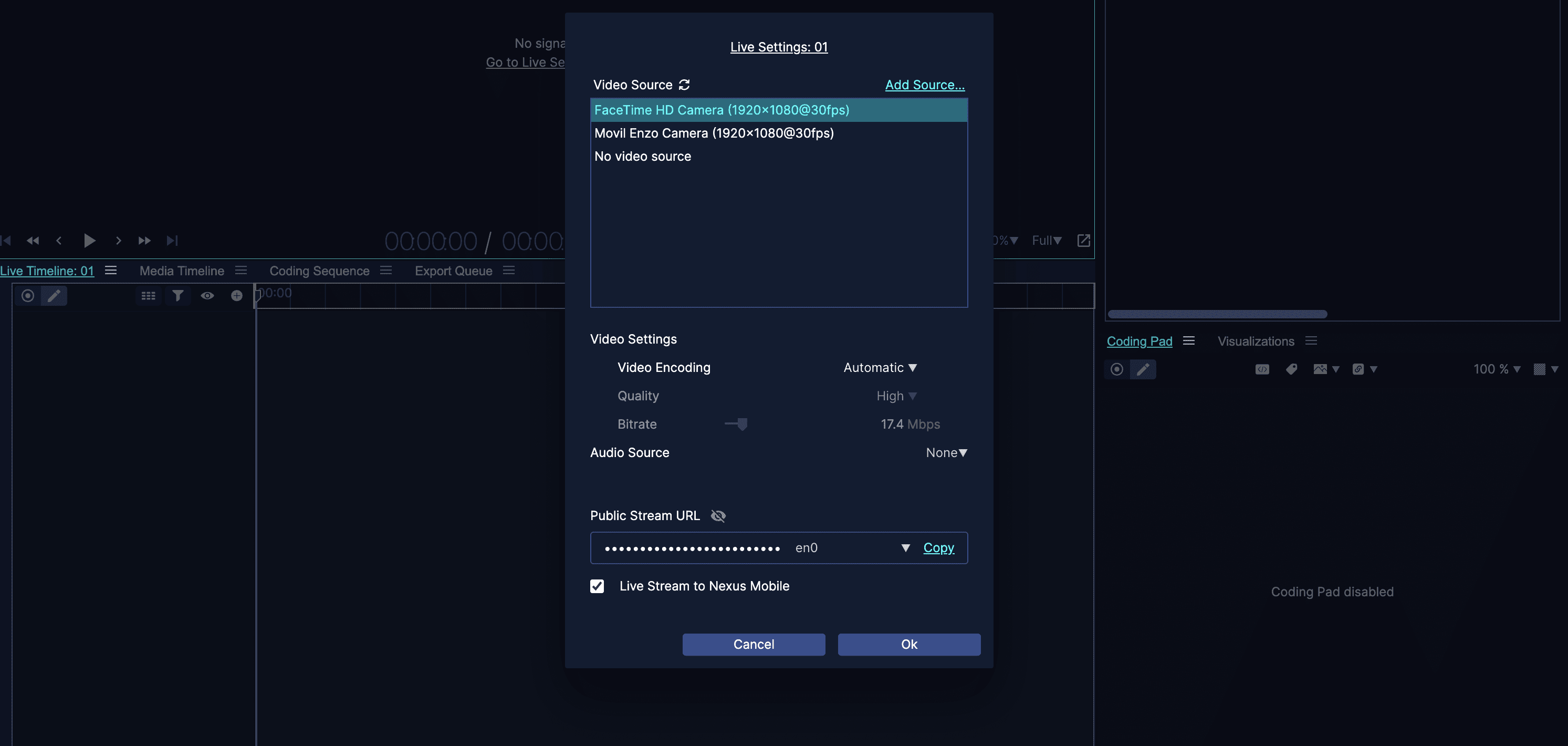
Open your workspace in Nexus Desktop and go to the Live Settings panel. In the capture configuration, enable the option Live Stream to Nexus Mobile. Once activated, Nexus Desktop will begin broadcasting the live video feed to connected mobile devices.
Step 2: Configure Stream Settings
When enabling live streaming, additional configuration options become available. You can adjust the stream quality to control bandwidth usage and optimize the stream depending on your network conditions. Lower stream quality reduces bandwidth usage and helps maintain a stable stream in limited network environments.
Step 3: Generate a Public Stream Link
Nexus can generate a public stream URL that allows the live video to be viewed directly from a web browser. This makes it possible to share the live feed with external viewers without requiring the Nexus Mobile app.
Step 4: Watch the Stream on Nexus Mobile
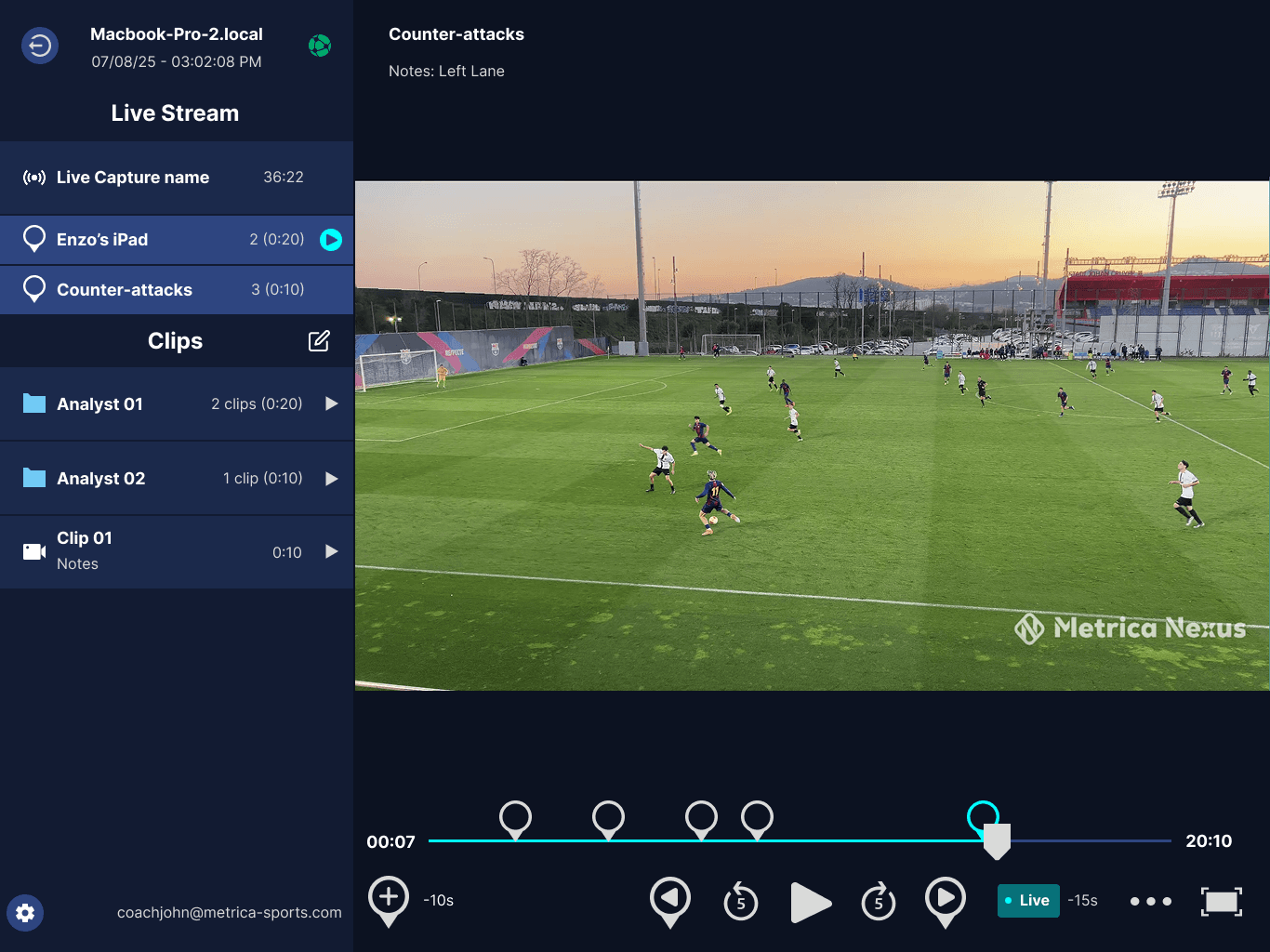
When a mobile device connects to the Nexus Desktop session, the live video stream becomes available inside the Live Stream section of the Nexus Mobile app. The viewer can watch the live feed and follow events generated during the session.
Multiple Streams
Nexus supports multiple active streams within the same live capture session. Each stream can be accessed independently by connected mobile devices.
Important
Live streams are temporary and exist only during the active capture session. Once the live capture ends or the connection is closed, the stream stops and is no longer available.
Next Step
While watching a live stream, users can also exchange events between Nexus Desktop and Nexus Mobile using Event Sharing.