Nexus Explorer
Nexus Explorer helps you search, review, and export events across multiple coding sequences from one place.
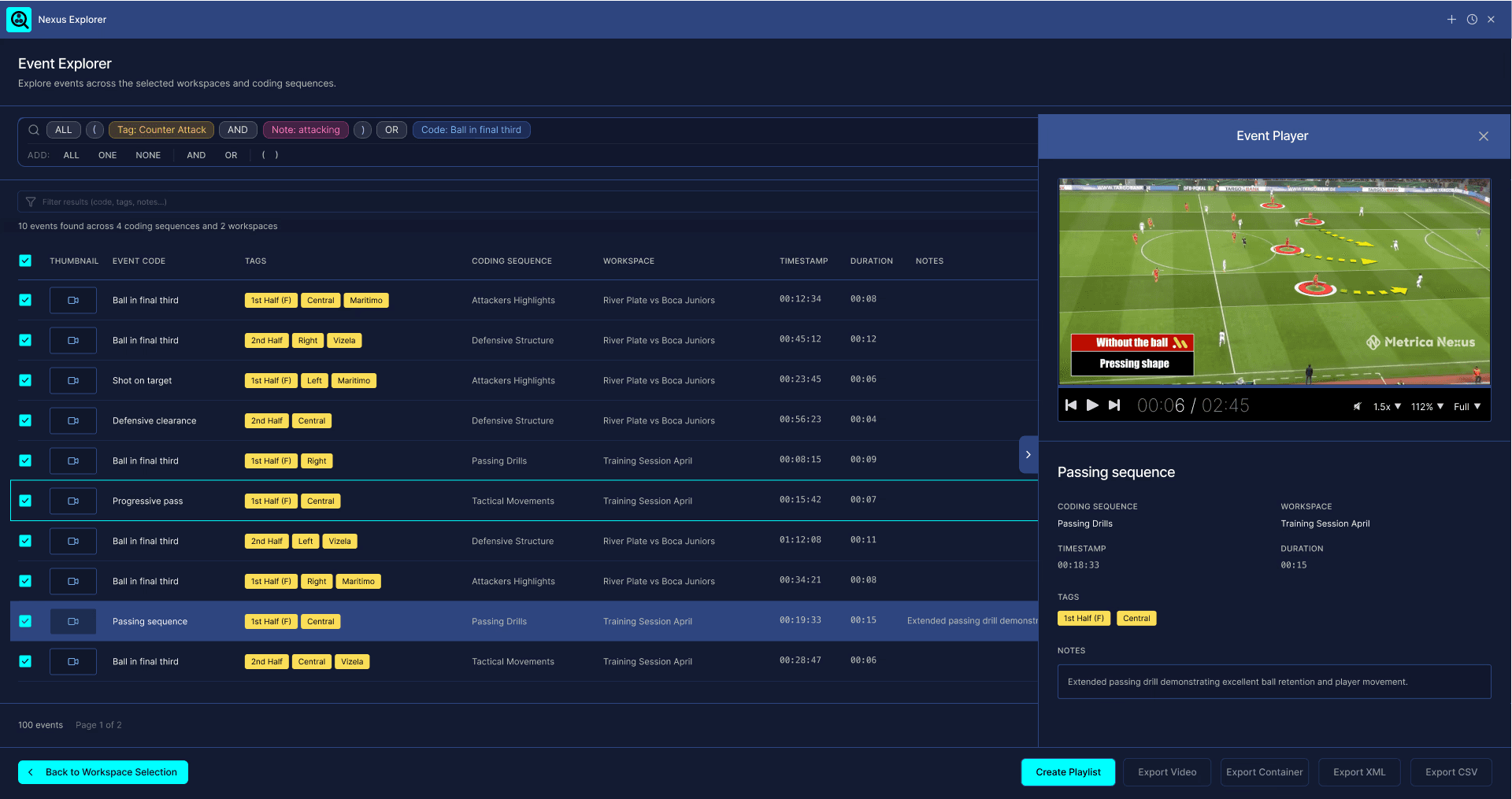
It is designed for workflows where you need to analyze several games, sessions, or imported data sources together, instead of opening and filtering each coding sequence one by one.
You can use Nexus Explorer to find specific moments, review them quickly, select the best ones, and create playlists or exports.
What you can use Nexus Explorer for
Use Nexus Explorer when you want to:
Search across several coding sequences at once
Review events from multiple games or sessions
Find all events matching specific codes, tags, or notes
Filter results without changing your main search
Preview events with video
Select events and create a playlist
Export selected events as video or container
Save and return to previous Explorer sessions
When to use Nexus Explorer
Use Nexus Explorer when you need to analyze patterns across multiple games or sessions.
For example:
Review all build-up actions from the last five matches
Find all corner kicks in the first half
Search for actions involving specific players
Review all events with a specific tag across several coding sequences
Create a playlist from selected clips across multiple matches
Export video clips from a filtered set of events
Nexus Explorer is most useful when your analysis goes beyond a single coding sequence and you need to work across a larger dataset.
Opening Nexus Explorer
You can open Nexus Explorer from two places:
From the top menu:
Explorer → Open Explorer

From the status bar:
Click the Nexus Explorer icon at the bottom-right of the application.

When Nexus Explorer is already open, clicking the status bar icon can bring it back into view or minimize it, allowing you to continue working in Nexus while keeping your Explorer session available.