Nexus Live
Live Stream Event Sharing allows analysts and coaches to exchange match events in real time between Nexus Desktop and Nexus Mobile while a Live Stream session is active.
What is Live Stream Event Sharing
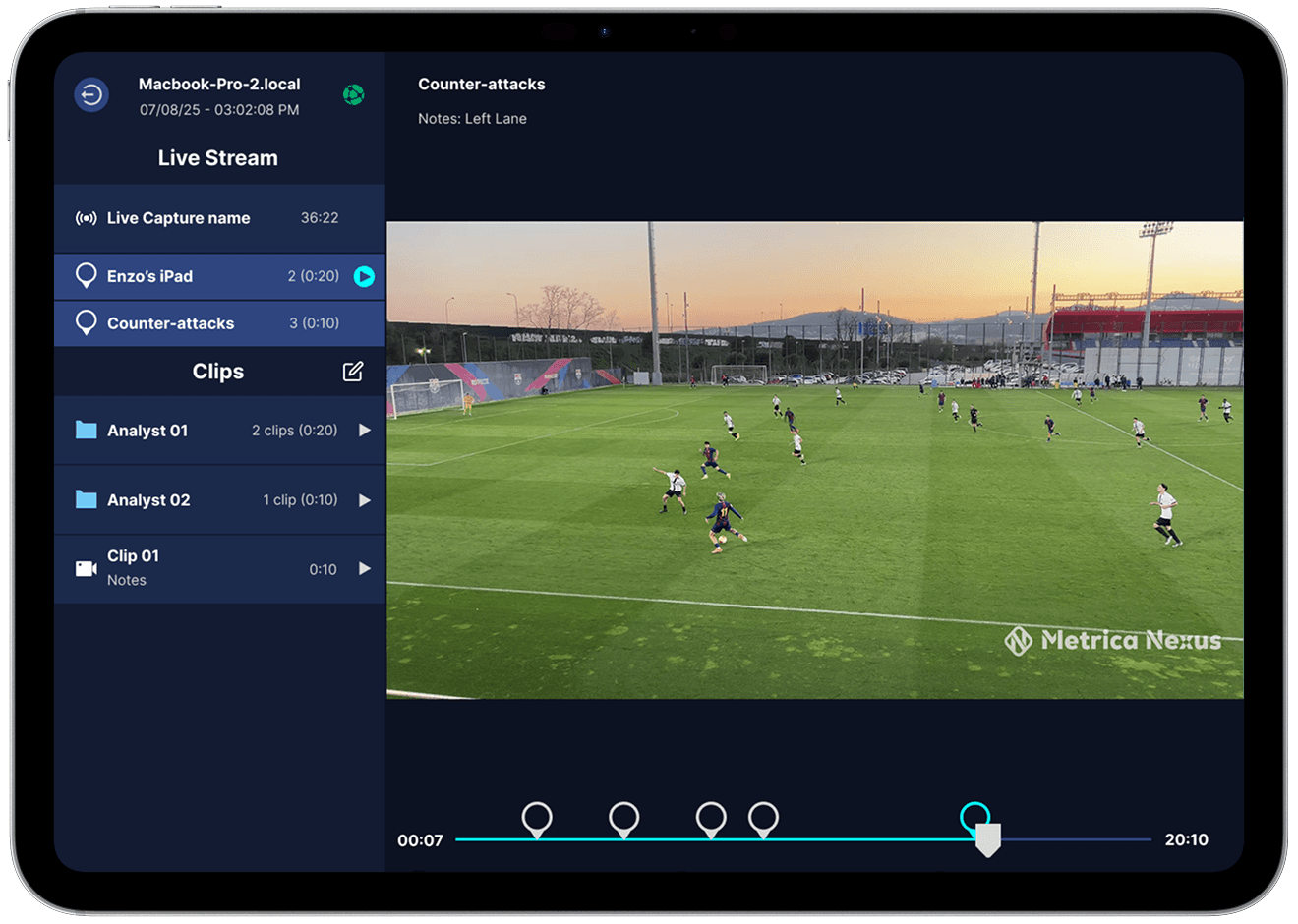
Live Stream Event Sharing enables lightweight communication between devices during a live session by sharing timestamps of important moments in the match. An event consists of a timecode in and timecode out, representing a specific moment in the live video stream. These events are shared instantly between Nexus Desktop and Nexus Mobile while the Live Stream is active.
How Event Sharing Works
Events are linked to the Coding Sequence used during the live capture session. When an event is created, Nexus generates a corresponding code entry in the Coding Sequence timeline on Nexus Desktop, allowing analysts to immediately see the moment in the workspace.
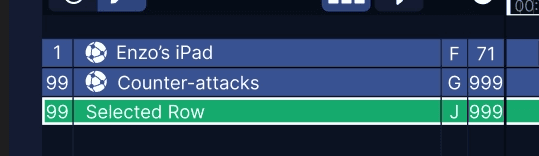
Step 1: Enable Event Sharing in the Coding Sequence
Inside Nexus Desktop, open the Coding Sequence used during the live capture session. Each code can be configured to be shared with Nexus Mobile. When a code is enabled for sharing, any event created using that code will appear on connected mobile devices during the Live Stream.
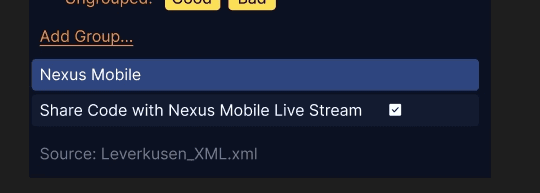
Step 2: Create Events from Nexus Desktop
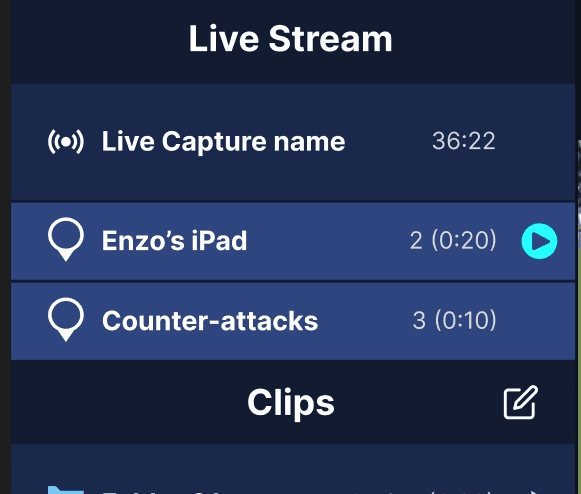
While coding the match in Nexus Desktop, any tagged event using a shared code will be transmitted to Nexus Mobile. The event will appear in the Live Stream interface on the mobile device and can be used to quickly navigate to important moments in the match.
Step 3: Create Events from Nexus Mobile
Users watching the Live Stream on Nexus Mobile can also create events directly from the mobile interface using the Add Event button. When an event is created on mobile, Nexus automatically generates a corresponding code entry in the Coding Sequence on Nexus Desktop.
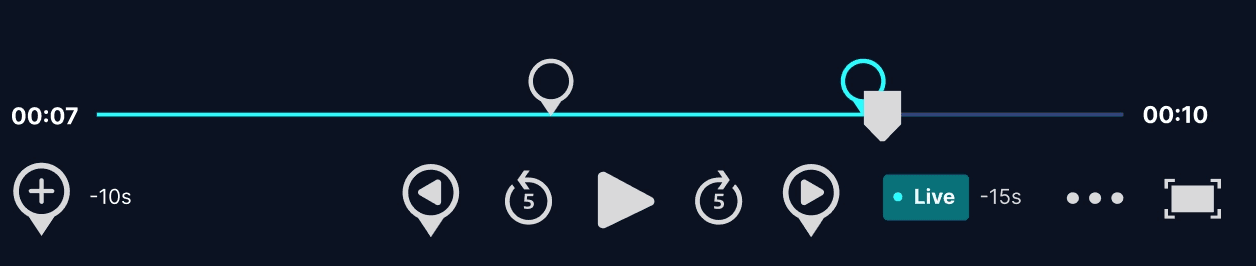
Viewing Events on Mobile
Events appear in the Live Stream event list inside the Nexus Mobile interface. From the mobile device users can:
• View the list of shared events
• Jump directly to a specific event in the stream
• Navigate between previous and next events
• Return to the current live position
Notes and Event Details
If a code contains notes or descriptions, those notes will also appear on the mobile device together with the shared event.
Temporary Events
Events shared through Live Stream are temporary and exist only during the active session. Once the Live Capture session ends, these events are no longer available. If you need to share finalized analysis moments after the session, use Clip Sharing instead.