Nexus Explorer
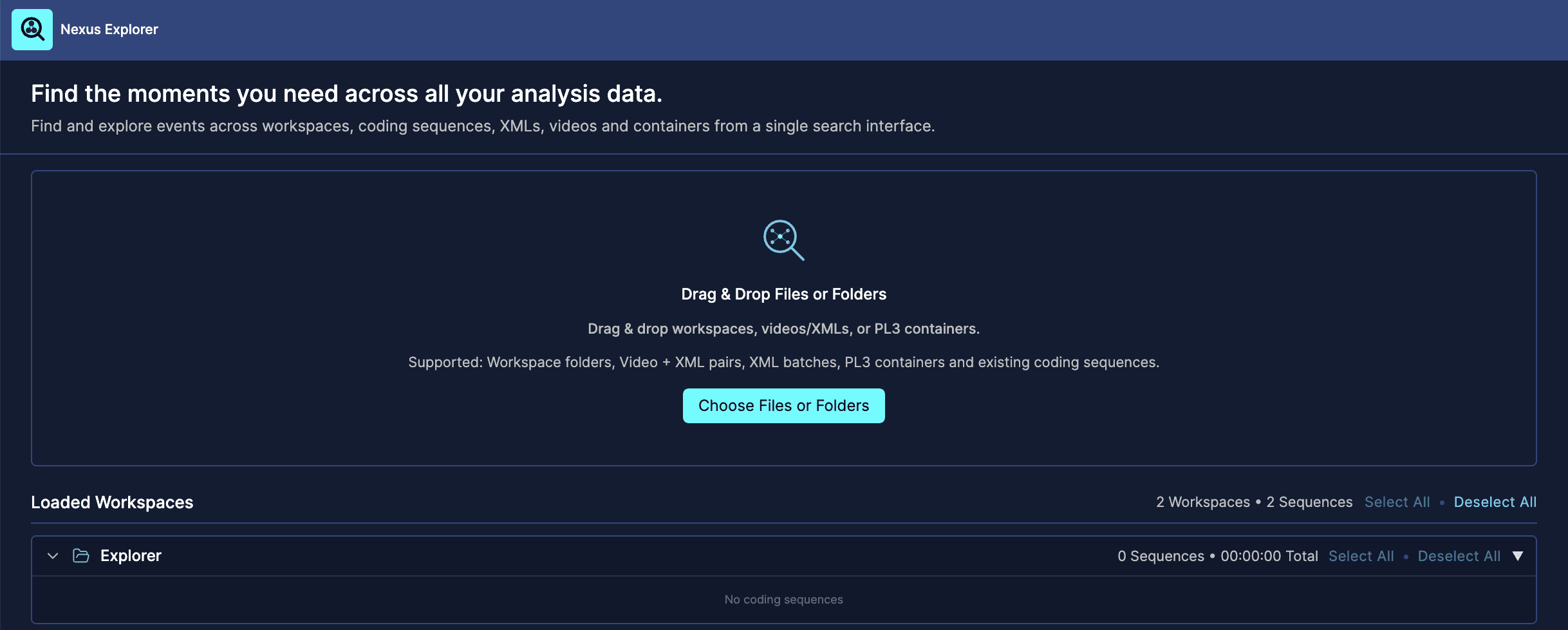
The first screen allows you to choose what data you want to explore.
You can add data by dragging and dropping files or folders into the import area.
Supported sources include:
Workspace folders
Video and XML pairs
Matching batches of videos and XMLs
PL3 containers
Existing coding sequences
You can also use the Choose Files or Folders button to select files manually.
If you add a video and an XML with the same name, Nexus Explorer will treat them as belonging to the same match or session.
If you import several videos and XMLs as a batch, matching names are used to connect each video with its corresponding XML.
Recent Workspaces
On the right side, Nexus Explorer shows your recent workspaces.
You can click a recent workspace to quickly load its coding sequences into the Explorer.
Loaded Workspaces and Coding Sequences
Once data is loaded, Nexus Explorer displays the available coding sequences grouped by workspace or source.
Each coding sequence can be selected or deselected.
Use this section to decide which coding sequences should be included in the exploration.
You can:
Select all coding sequences
Deselect all coding sequences
Select or deselect individual coding sequences
Expand or collapse workspace groups
When you are ready, click Continue to Event Explorer.