Plans & Billing
Choose a plan and subscribe from your Account Settings.
You can start a subscription for Metrica PlayBase or Metrica Nexus at any time from your Account Settings.
How to subscribe
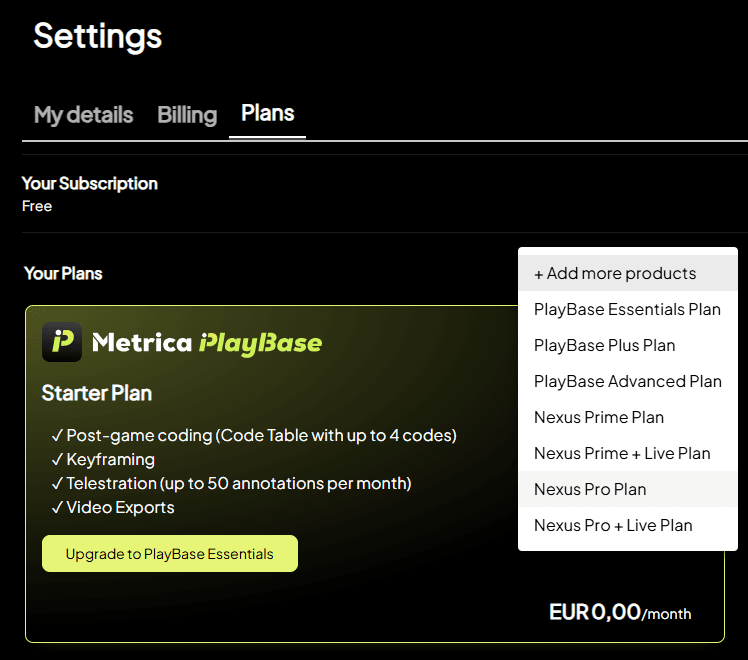
Log in to your Account Settings and open the Plans tab.
Choose a plan from the list of products.
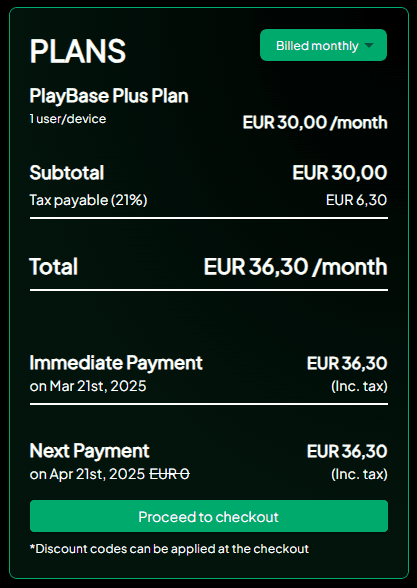
Review your cart. It shows the amount you pay now for your first billing cycle and the date of your next automatic payment.
Proceed to checkout. Here you can add a discount code, your business details and your VAT number.
Complete the payment.
By creating a subscription, you authorize Metrica Sports, through our payment provider Paddle, to charge your subscription fee periodically until you cancel it.
Not sure which plan to choose?
Compare the Nexus plans and the PlayBase plans, or see prices on our plans page.